
My Courses
This documentation page describes the “Courses at my department” page for department admins and the “My courses and exams” page for teaching staff. Apart from different tabs, both pages are largely structured in the same way and can be found under “Teaching” in the corresponding role.
Click on the link in the navigation bar to open an overview page with three tabs. As a teacher, you can see all the courses for which you have been named as the responsible or the conducting teacher or for which you are the proxy. As department admin , you can see all the courses that have been created within your organizational unit (listed together with your role).
- Please note: In this overview you can only see the courses from the semester that is currently selected.
- If you want to view/
edit courses from another semester, you can switch the semester via the dropdown menu at the top of the page. - It is therefore quite possible that you are looking for a course that you know exists, but cannot find it because no parallel group was created for the selected semester.
In the Department Admin role, you can use the “Courses (unplanned)” tab to find all courses that are created without being affiliated with a specific semester in the examination regulations, but do not yet have a parallel group for the currently selected semester.
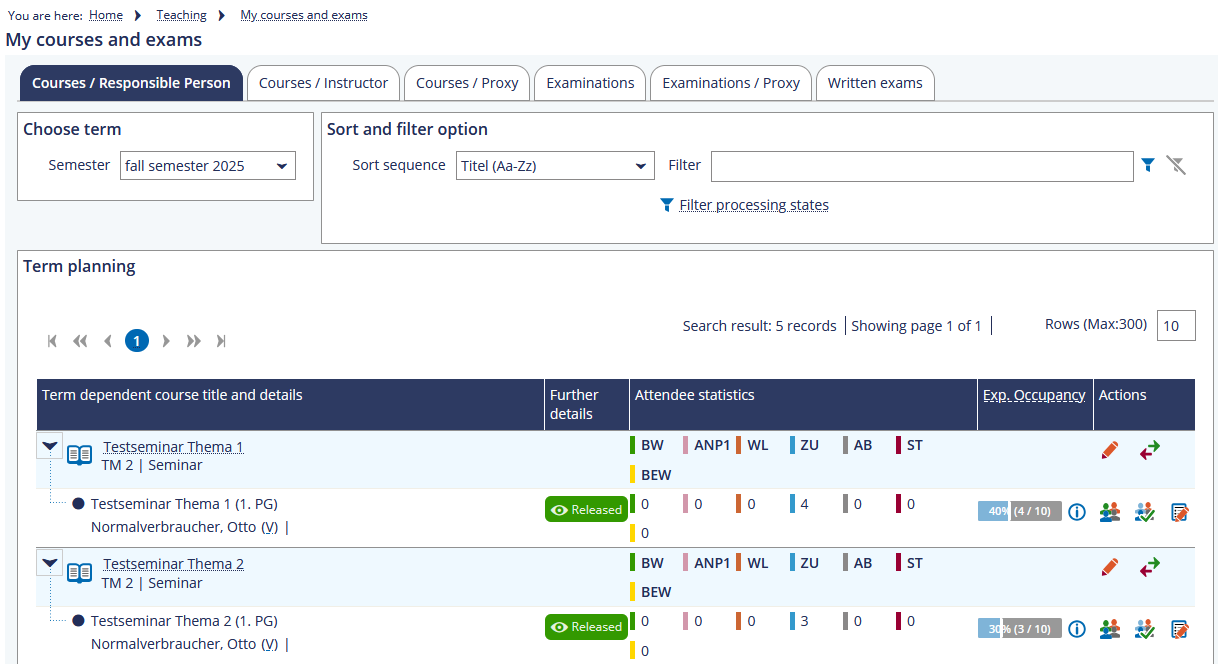
Actions
- Go directly to Course details: Either click on the title of the event or on the yellow pencil in the same row on the far right.
- Display the details page : Click on the icon with the magnifying glass on the far right of the row.
- Go to the member administration by either clicking on the two-arrows-icon or on the person icon with the two arrows (gray, i.e. inactive, if you do not have the necessary rights).
- Display the participants list by clicking on the people icon in the row of the parallel group (highlighted in white).
- Going directly to the ILIAS course/
group: To do this, click either on the blackboard icon (course) or on the people icon (group) in the corresponding parallel group.
Views
In addition to the various actions, on the overview page, you have the option to see the occupancy of your courses, for example, or to look at the distribution of registrations and admissions. The occupancy bars are displayed as soon as a registration procedure has begun for the course.
Courses (unplanned)
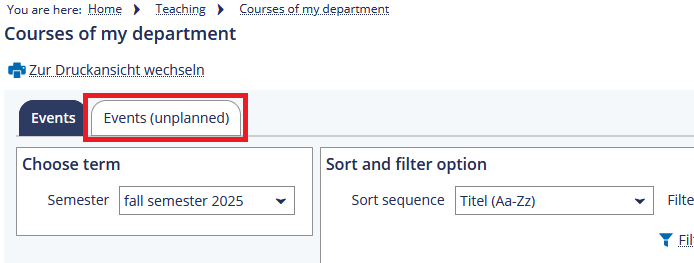
The “Courses (unplanned)” tab is intended to provide a better overview of the courses that exist but have not been created for the selected semester. All courses that are subject to certain examination regulations but do not have a parallel group for the current semester are displayed here. When planning a new semester, it can be useful to take a look at them to see which courses may still need a parallel group.