
Learner Features
A learner is a student or participant who engages in the educational activities and mobility opportunities offered by ENGAGE.EU. Here you’ll find all the extra support you need to use the platform as a Learner.
Application Form
Application Prerequisites
To apply for the Winter School, you need to provide the following:
- Personal details: birthdate, gender, your degree title (e.g., Business Administration), etc.
- Documents to upload :
- Transcript of Records
- Motivation Statement (in English)
Make sure all fields are filled out correctly and documents are ready before submitting your application.
Application Process
Step 1: Register/
Step 2: Access the Application Form
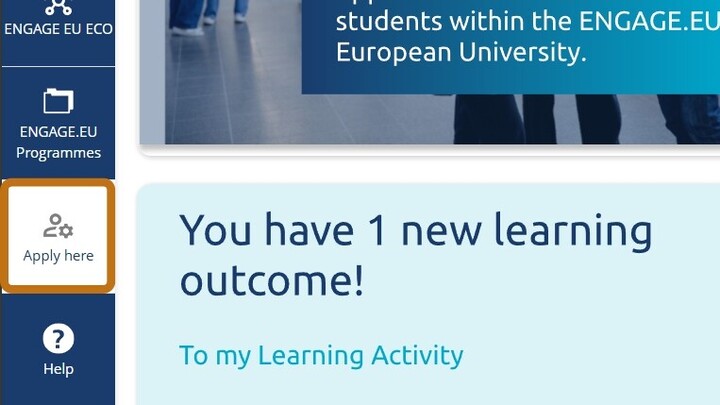
- Click on the “Apply here” button located at the bottom left of the screen.
Step 3: Complete the Application Form
The following fields will be automatically filled based on your account:
- First Name
- Surname
- Email Address
- Student ID
Manually complete the remaining fields:
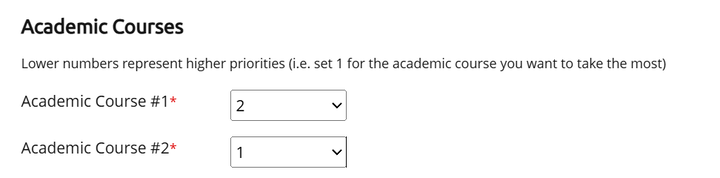
- Select a course from the list of available options.
- Choose your gender from the drop-down menu.
- Enter your birthdate.
- Specify your degree title (e.g. Business Administration).
- Upload the following documents:
- Transcript of Records
- Motivation Letter in English (PDF and video-format are allowed)
Step 4: Optional Fields
These fields are not required to submit the application. You may optionally choose to:
- Subscribe to the ENGAGE.EU newsletter.
Step 5: Submit Your Application
- Navigate to the upper right corner of the form.
- Click the “Apply” button to submit your application.
After submission, a confirmation message will appear on the screen indicating that your application was successfully submitted.
You will also receive a confirmation email verifying that your application has been received.
Step 6: Cancelling/
If you no longer wish to proceed with your application, you may be able to cancel it before the application phase has ended.
You can cancel your application under 'My Applications' by clicking on the action button on the right side of the application you wish to cancel. As long as the application window is still open you are free to re-apply.
Once the application window is closed the action button will change from 'cancel' to 'withdraw'. Withdrawing an application is final, your home university will be informed about the withdrawal and you will not be able to re-apply.
Step 7: Confirm or Reject Your Admission Offer
Once the receiving Higher Education Institution (HEI) reviews your application, you will be notified of their decision.
If you receive an offer, you must either:
- Confirm your admission to accept the offer, or
- Reject it if you do not wish to proceed.
Please make sure to respond within the indicated deadline to ensure your place is properly processed.
Troubleshooting
If a red box appears around any field:
- The field is either empty or contains an invalid entry.
- Please complete the field or select a valid option from the drop-down menu.
Application Status

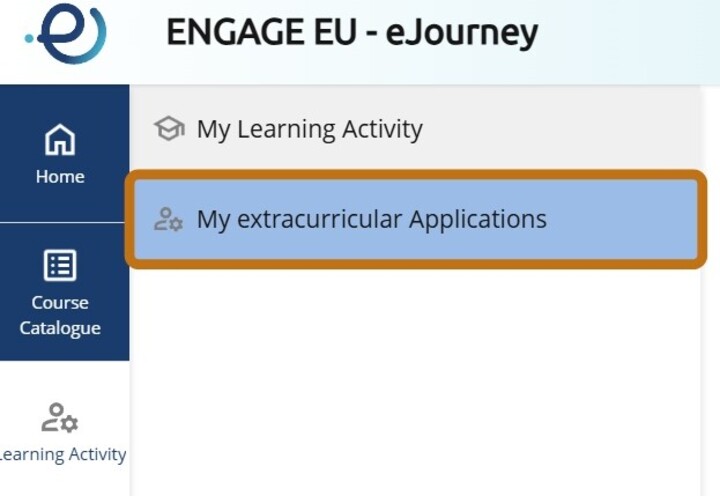
- Press the button „Learning Activity“ from the menu on the left.
- Select „My extracurricular Applications“
- On the right you will see a list of all your applications and their status.